Fall 2026 experiment troubleshooting
For the Fall 2026 term, we're working with a team of researchers from the Humans and Machines Lab at Princeton University to run an experiment testing realtime guidance during Wikipedia edit sessions. Instructors can opt-in for their classes to participating, and for participating classes, each student will be invited to opt-in or opt-out.
Students who opt-in are prompted to install a Wikipedia userscript by making a simple edit to their common.js page on Wikipedia, which enables our experimental features that use the Edit Check system that is built into Wikipedia's Visual Editor. After saving that edit, they will complete their assignment normally.
Students stuck on "Install the experiment script"
As a student, if you opt-in to the experiment, the "Install the experiment script" dialog will guide you through the required edit to enable the experiment for your account. This will go away once you make the edit, but you must successfully publish the page after adding the copied line of code.
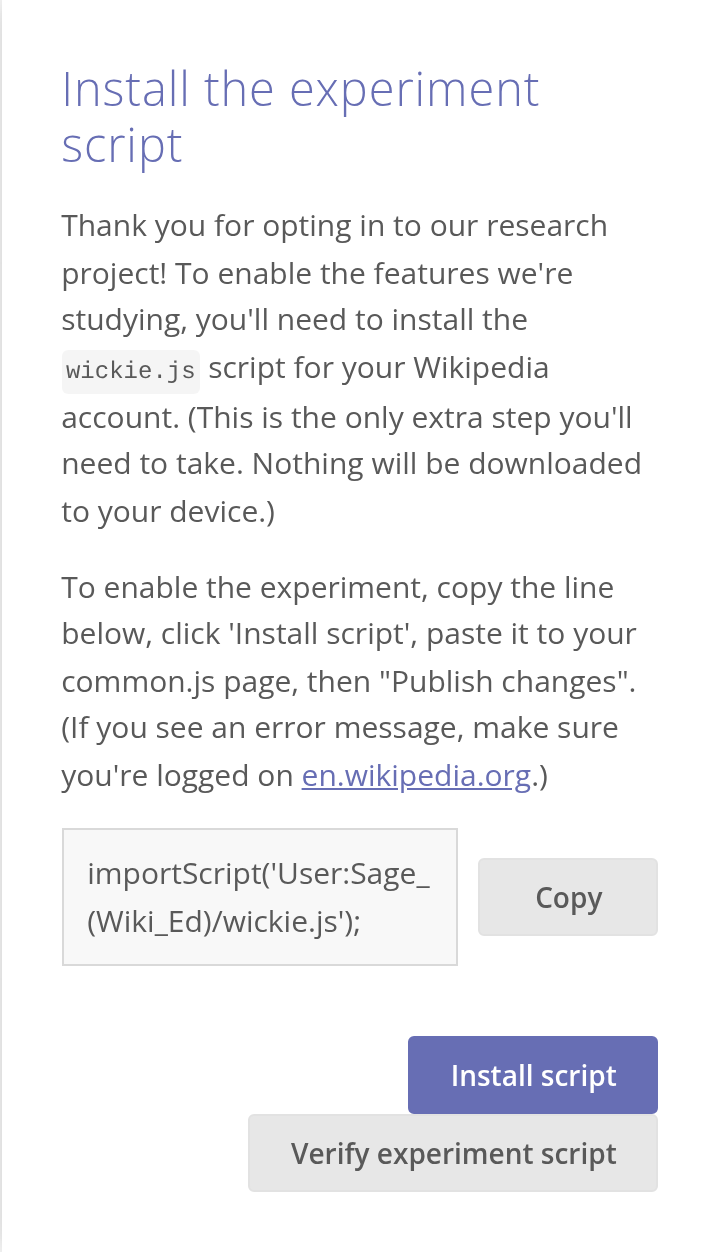
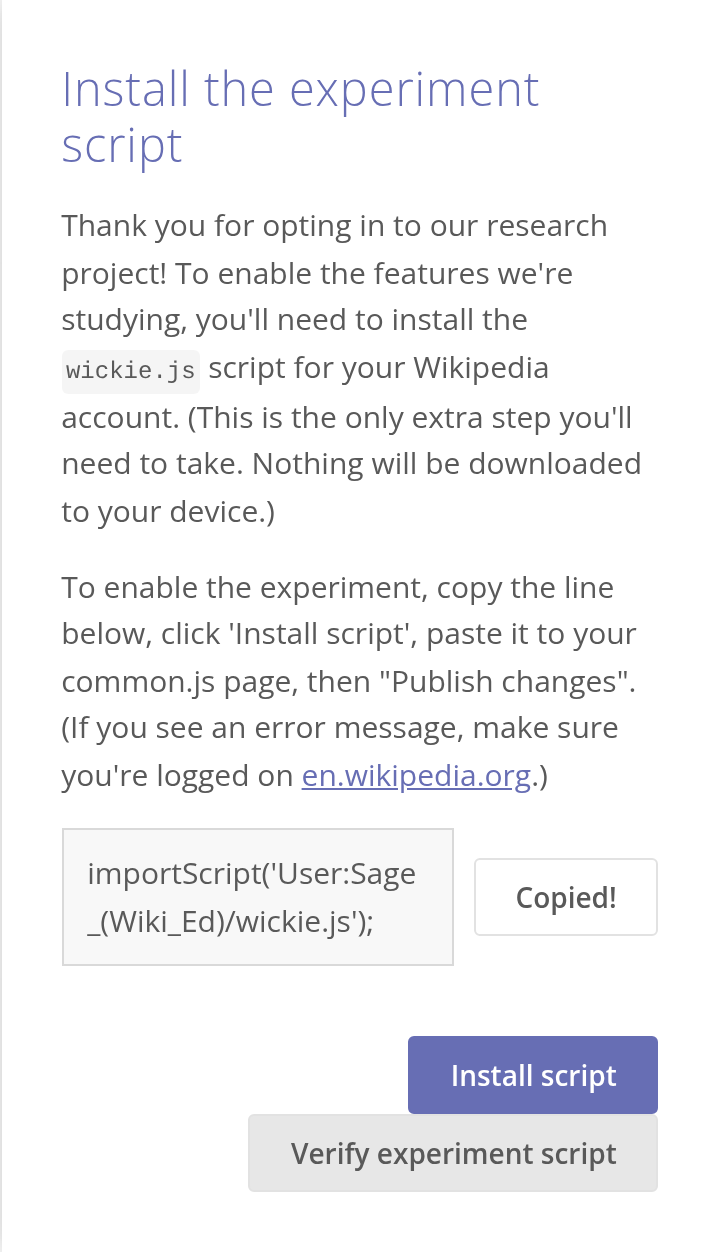
1. Copy the script line
Tap Copy. The button changes to Copied!
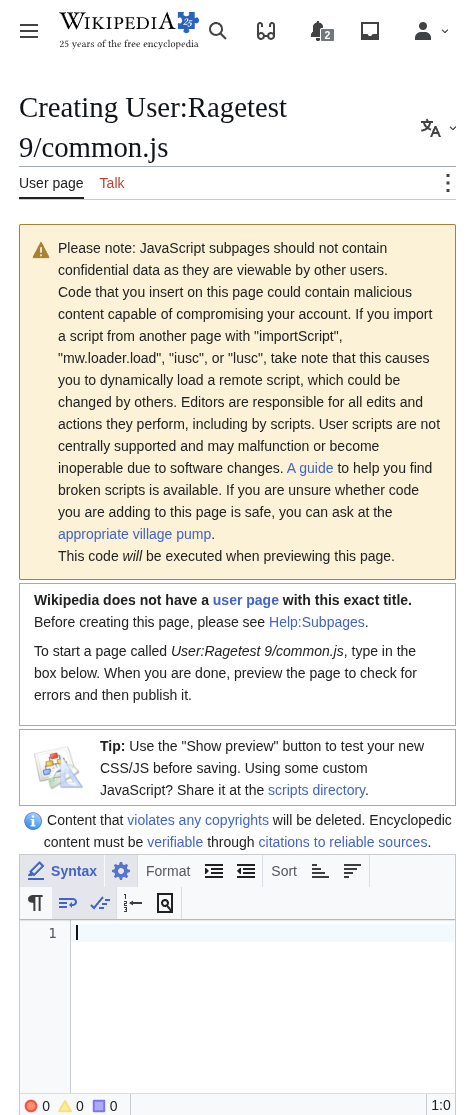
2. Open your common.js page
Tap Install script. This opens the edit form for your own
User:YourUsername/common.js page on English Wikipedia. (If you see a "Permission error" message instead, you need to log in to Wikipedia.)
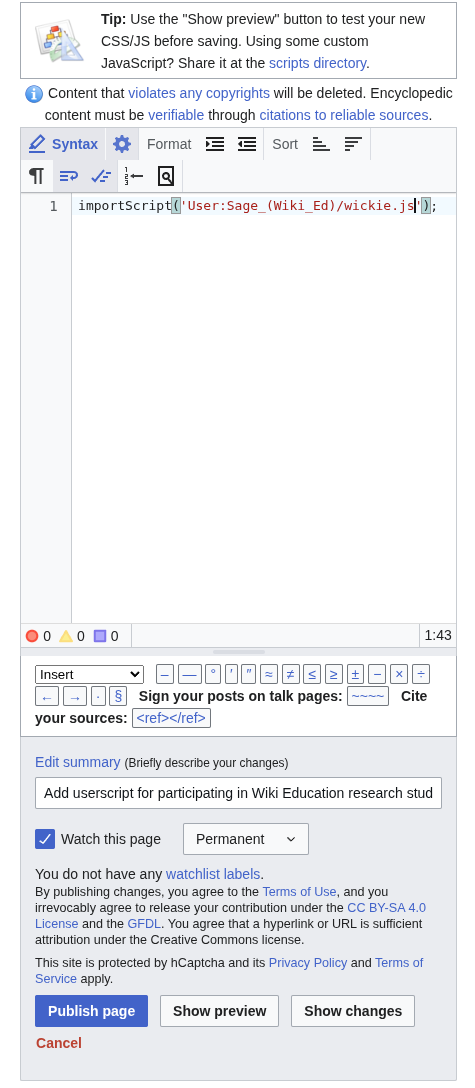
3. Paste and publish
Paste the line into the edit box, then Publish page.
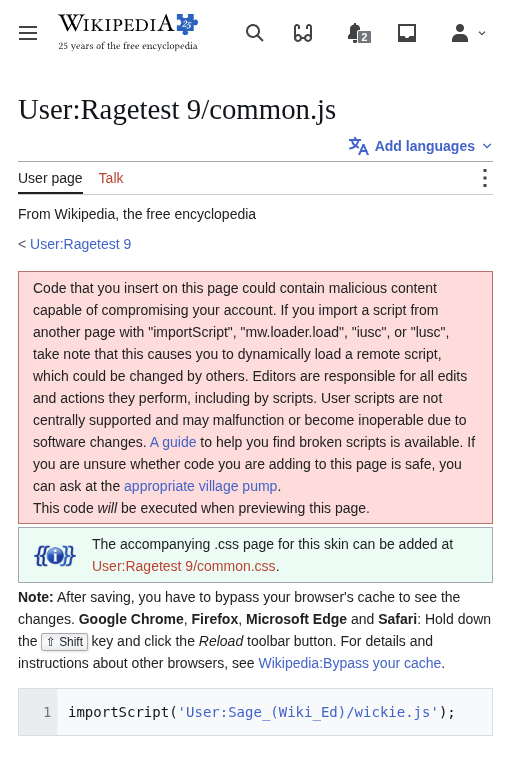
4. Confirm on the Dashboard
Back on the Dashboard, tap Verify experiment script. It will confirm that you enabled the experiment script, then close.
If something goes wrong
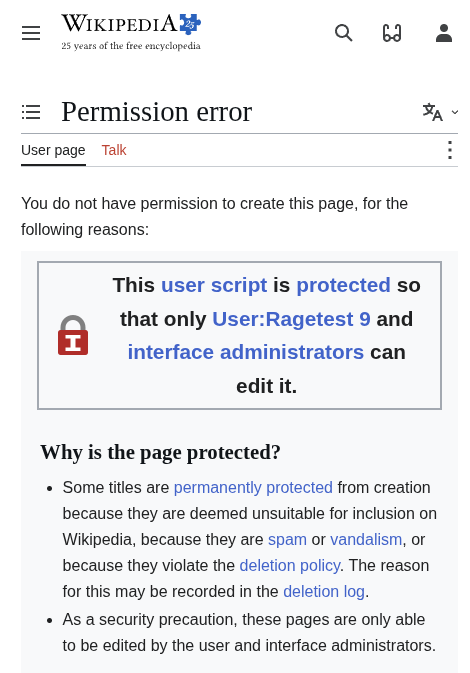
"Permission error"
You're logged out of Wikipedia, or logged in as a different account. The box shows the account that can edit the page: your username. Log in at en.wikipedia.org, then tap Install script again.
"We couldn't find the expected experiment script installed on your account."
- Check that you tapped Publish page, not Show preview.
- Check the page you edited is
User:YourUsername/common.json English Wikipedia. - Tap Verify experiment script once more.
How to remove yourself from the experiment
As a student, if you wish to withdraw from the experiment after opting in, you can do so by sending a request to withdraw to sage@wikiedu.org. Be sure to include your username.
How to remove your course from the experiment
As an instructor, if you wish to withdraw your course after initially opting in, you can do so by visiting this opt-in / opt-out page and opting out.